Or why switch config is the most important step
1. Switches are the foundation of network communication
-
Every device on a local network (PCs, printers, servers, etc.) typically connects through a switch.
-
Without a properly configured switch, communication between devices — and to the outside world — can fail or be severely impaired.
2. They dictate how traffic flows
-
Switches determine which devices can talk to each other and how efficiently.
-
VLANs (Virtual LANs), trunk ports, and access ports are configured on switches, which control segmentation, isolation, and performance.
3. They enable or block key services
-
If the wrong ports are blocked or misconfigured (e.g., trunk vs. access), devices might not get IPs, resolve DNS, or even ping their gateway.
-
Spanning Tree Protocol (STP) settings on switches can affect network stability and prevent loops.
4. Upstream dependencies
-
Many services (like DHCP or PXE booting) rely on proper switch port configs (e.g., DHCP relay, portfast).
-
Switch misconfiguration often appears as “the network is down,” even if the services themselves are fine.
5. They're central in secure segmentation
-
Isolating different parts of a network (e.g., dev, prod, guest) is done through VLANs on switches.
-
Proper switch configuration is crucial for security and compliance.
Scenario:
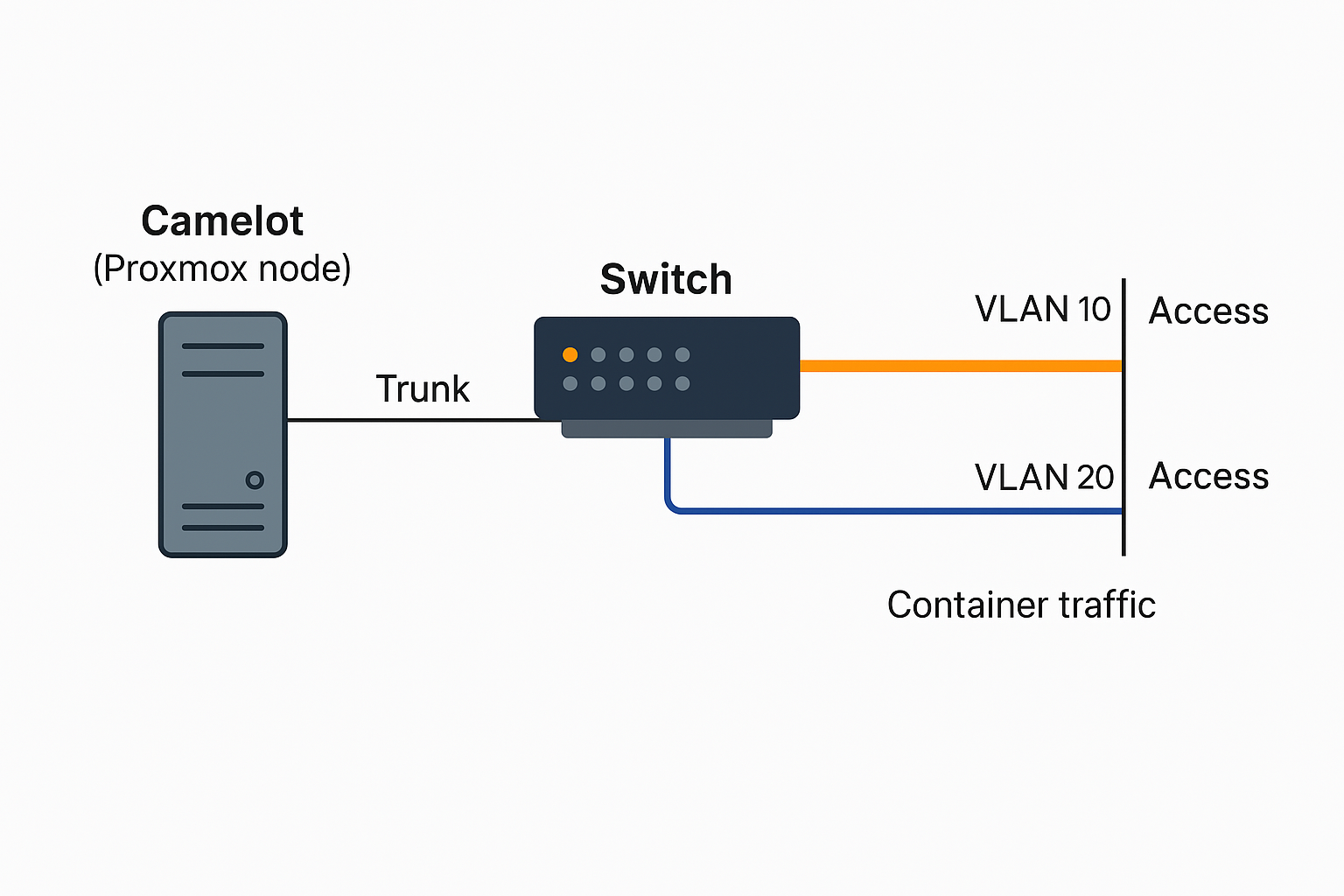
We want to separate admin traffic (like SSH and Proxmox management) from container traffic (like MediaWiki and Fileman) using VLANs.
Setup:
-
Admin VLAN:
VLAN 10(192.168.10.0/24) -
Container VLAN:
VLAN 20(192.168.20.0/24) -
Camelot (Proxmox node) is plugged into a managed switch on port 3.
Switch Config (Port 3):
interface GigabitEthernet0/3
description Camelot trunk port
switchport mode trunk
switchport trunk allowed vlan 10,20
Proxmox Config (Camelot):
-
Define two Linux bridges, each tied to a specific VLAN:
auto vmbr10
iface vmbr10 inet static
   address 192.168.10.10
   netmask 255.255.255.0
   bridge_ports eno1.10  # VLAN 10
   bridge_stp off
   bridge_fd 0
auto vmbr20
iface vmbr20 inet static
   address 192.168.20.10
   netmask 255.255.255.0
   bridge_ports eno1.20  # VLAN 20
   bridge_stp off
   bridge_fd 0
Result:
-
Management happens over
vmbr10(VLAN 10). -
Containers use
vmbr20(VLAN 20) to reach the outside world or each other. -
If we don’t tag the switch or Proxmox correctly, nothing will work, and debugging will be a mess — which is why switch config is the most important step.
Starting Simple: What Is Trunk Mode, Really?
-
Access Port = “This port belongs to ONE VLAN only.”
→ Used to connect a single device, like a laptop or a printer. -
Trunk Port = “This port carries traffic for MULTIPLE VLANs.”
→ Used to connect network devices (like a switch-to-switch or switch-to-server link).
So trunking just means:
“Let this port carry multiple types of traffic, separated by tags.”
Why Camelot Needs Trunking (Modern Setup)
We've got Proxmox (Camelot). It runs containers and VMs — some on the admin network, some on the container/data network.
Camelot only has one physical NIC (eno1), but we want multiple VLANs.
That’s where trunking comes in.
Step-by-Step: Setting Port 3 to Trunk Mode
On a Cisco-style switch (very common syntax):
interface GigabitEthernet0/3
 description Connection to Camelot (Proxmox)
 switchport trunk encapsulation dot1q
 switchport mode trunk
 switchport trunk allowed vlan 10,20
What this does:
-
Tells the switch to send VLAN tags (
dot1q) to Camelot. -
Lets Camelot receive both VLAN 10 (admin) and VLAN 20 (containers).
-
Camelot then sorts the traffic using VLAN-tagged virtual interfaces (like
eno1.10,eno1.20).
|
Device |
Connection Type |
VLAN Tagging? |
Notes |
|---|
|
PC |
Access Port |
No |
Gets a single VLAN (untagged) |
|
Camelot |
Trunk Port |
Yes |
Needs tags to separate traffic |
|
Switch |
Trunk Mode |
Yes |
Sends tags down the line |